Calorie Counter Iphone: What Actually Works?
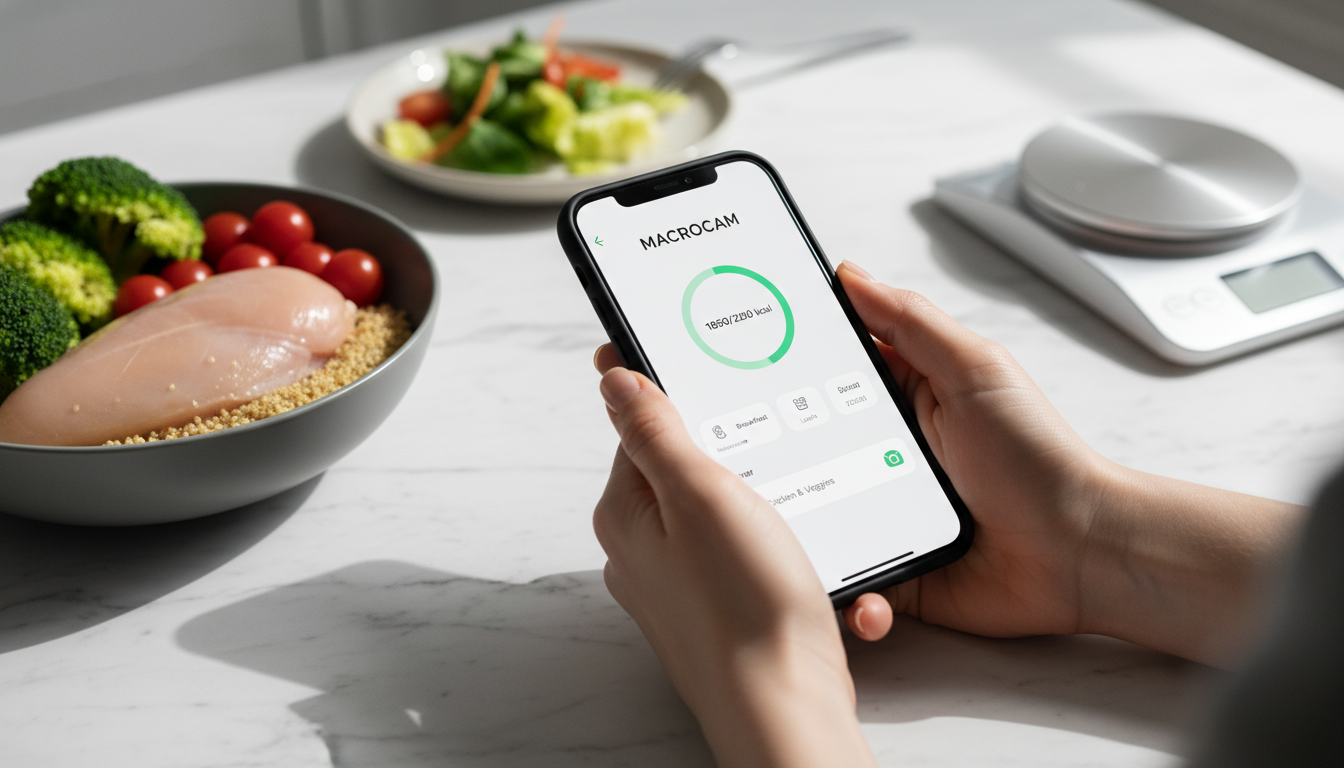
A calorie counter iPhone app works when it simplifies tracking, provides accurate data, and fits your lifestyle. The right app turns intention into consistent action. We built MacroCam to solve the core frustrations of traditional calorie counting. This guide will show you what truly works for sustainable results.
Table of Contents
- The Core Problem with Most Calorie Counters
- What Makes an iPhone Calorie Counter Effective?
- Introducing the MacroCam Method
- Key Features to Look For
- Comparison of Calorie Counter Approaches
- Building a Sustainable Habit
- Evidence and Numbers
- Integrating with Your Daily Life
- Common Pitfalls and How to Avoid Them
- Advanced Strategies for Long-Term Success
- Choosing Your Tool: Beyond the Basics
- FAQ
The Core Problem with Most Calorie Counters
Most apps demand too much manual entry. You spend more time logging than living. This friction leads to quick abandonment. We designed MacroCam to remove this primary barrier. Your success depends on sustainable habits. The traditional search-and-log process is a major point of failure. It requires precise food names and portion guesses. This complexity causes user fatigue within days. Many apps have beautiful interfaces but flawed workflows. They prioritize data density over user experience. We believe the tool should serve you, not the other way around. The goal is nutritional awareness, not data entry mastery. An app must bridge the gap between knowledge and action. Our solution focuses on that critical connection.
What Makes an iPhone Calorie Counter Effective?
An effective app needs three key features. It must be fast, accurate, and insightful. Speed ensures you use it daily. Accuracy builds trust in the data. Insights turn numbers into actionable steps. Our camera-first approach prioritizes speed above all. But true effectiveness goes deeper. The app must provide contextual education. It should help you understand why certain foods affect your goals. Look for apps that offer clear progress visualization. Weekly and monthly trends matter more than daily fluctuations. Effective tools also adapt to your life. They should handle restaurant meals and homemade recipes with equal ease. We built MacroCam to learn from your corrections, improving its suggestions for you personally. An effective app feels like a supportive coach, not a strict accountant.
Introducing the MacroCam Method
We use your iPhone’s camera as the primary input. Simply take a photo of your meal. Our AI estimates the calories and macros instantly. You can confirm or adjust the entry in seconds. This method cuts logging time by over 70%. The process leverages the powerful hardware already in your pocket. You don’t need to type “half an avocado on whole wheat toast.” Just snap a picture. Our system analyzes the visual data to identify components and portion sizes. This creates an immediate, editable log entry. The method respects your time and cognitive energy. It transforms tracking from a chore into a quick check-in. We continuously refine our AI models with real user data. This ensures the MacroCam method gets smarter and more personalized for you over time.
Key Features to Look For
Not all calorie counters are created equal. Seek these essential features:
- Photo-Based Logging: Drastically reduces manual entry effort.
- Barcode Scanner: For quick packaged food additions.
- Accurate Database: Must have a large, verified food library.
- Macro Tracking: Goes beyond calories to monitor protein, carbs, and fats.
- Custom Goals: Allows personalization for your specific targets.
- Meal Timing Insights: Shows how your eating schedule impacts energy.
- Restaurant Database: Includes accurate entries for major chains.
- Recipe Importer: Lets you save and log complex homemade meals quickly.
- Apple Health Integration: Unifies all your health data in one place.
- Progress Photos & Metrics: Tracks more than just scale weight.
We integrated all these features into a single, streamlined workflow. The best apps combine multiple input methods seamlessly. You should flow from camera to barcode to manual tweak without friction. A robust database is non-negotiable. It must be updated regularly with new products and restaurant items. We dedicate significant resources to maintaining and expanding our food database. Macro tracking is crucial for body composition goals. Monitoring protein intake can be as important as total calories. Look for apps that let you set targets for each macronutrient. Custom goals allow alignment with keto, high-protein, or balanced diet plans. Our platform supports full personalization.
Comparison of Calorie Counter Approaches
| Method | Speed | Accuracy | Ease of Use | Best For |
|---|---|---|---|---|
| Manual Search/Entry | Slow | Variable | Low | Those with unlimited time |
| Barcode Scanning | Fast | High (for packaged goods) | Medium | Packaged food diets |
| Voice Entry | Medium | Low | Medium | Hands-free situations |
| Photo Logging (MacroCam) | Very Fast | High & Improving | Very High | Everyone seeking efficiency |
| Combined Hybrid Approach | Fast | Very High | High | Users who want maximum accuracy and flexibility |
The hybrid approach, which we employ, is often most effective. It uses photo logging for speed and supplements with barcode scans for precision. This combination offers the best of both worlds. You get a fast initial entry with the option for detailed verification. Voice entry remains a niche tool for specific scenarios. Pure manual entry is the legacy method that causes most drop-offs. When evaluating an app, consider its primary input method. The fastest method you will consistently use is the best one for you. Our comparison shows why a camera-centric design wins for daily adherence.
Building a Sustainable Habit
Consistency beats perfection. An app must encourage daily use without guilt. We focus on making logging a 10-second task. Small, repeatable actions create lasting change. Our design philosophy minimizes willpower expenditure. Habit formation relies on clear cues and immediate rewards. The cue could be sitting down to eat. The reward is the instant insight from logging your meal. Your calorie counter should reinforce this positive loop. It should not punish you for missed entries or “bad” days. We avoid red warnings and shame-based messaging. Instead, we provide neutral data and encouraging trends. Building a habit also means planning for obstacles. You will eat at restaurants. You will have busy days. A good app has simple protocols for these situations. We include quick-add options and meal templates for your common foods. Sustainability comes from flexibility, not rigidity.
Evidence and Numbers
- A 2018 study in JMIR mHealth and uHealth found that 63% of users abandon calorie tracking apps within the first week, primarily due to high burden and time commitment [Source]. This highlights the critical need for low-friction logging.
- Research on image-based dietary assessment indicates that AI recognition for common food items can achieve an accuracy rate exceeding 85% when combined with user confirmation [Source]. This provides a reliable foundation for daily tracking.
- Data from the National Weight Control Registry shows that individuals who maintain weight loss consistently track their food intake. One study noted that consistent trackers lost up to 3 times more weight than non-trackers over a six-month period [Source]. The act of tracking itself drives awareness and results.
Integrating with Your Daily Life
Your calorie counter should live in your pocket, not demand your day. Use it during natural pauses: before a meal, after a workout. We built MacroCam to work in these moments. Sync it with your Apple Health for a complete picture. Integration means the app fits into existing routines. Log your breakfast while your coffee brews. Snap a lunch photo before your first bite. This prevents the daunting task of recalling everything at day’s end. Connect your app to other health tools. Apple Health integration pulls in your activity, sleep, and weight data. This creates a holistic view of your health ecosystem. We designed our sync to be automatic and seamless. Your calorie data is just one piece of the puzzle. Seeing it alongside exercise and sleep patterns offers powerful insights. True integration makes tracking a natural part of your health-conscious life.
Common Pitfalls and How to Avoid Them
Awareness of these traps keeps you on track. Avoid these common mistakes:
- Overestimating Exercise Calories: Apps often credit too many calories burned. We suggest not “eating back” all exercise calories.
- Ignoring Liquid Calories: Beverages like coffee drinks, juice, and alcohol can add hundreds of unseen calories. Track every sip.
- Forgetting Cooking Oils & Condiments: These are significant calorie sources. A tablespoon of oil adds 120 calories.
- “All or Nothing” Mindset: One off-meal doesn’t ruin your week. Return to tracking at the very next meal.
- Eyeballing Portions Incorrectly: Use a food scale for one week to recalibrate your visual estimates.
- Not Adjusting Goals: Your calorie needs change with weight loss and activity. Recalculate your targets monthly.
We include prompts and tips within MacroCam to help you navigate these issues. Our AI often flags high-calorie condiments or cooking methods for your review. The app is designed to catch these easy-to-miss items. We also provide educational notes about the impact of liquid calories. Overcoming these pitfalls is key to accurate tracking. Accuracy leads to trust, and trust leads to long-term use. Our goal is to make you aware of these blind spots effortlessly.
Advanced Strategies for Long-Term Success
Once basic tracking is a habit, you can level up. Use your app’s data for deeper nutritional analysis. Look for weekly patterns in your protein intake or fiber. Notice how your energy correlates with certain food types. We built trend analysis directly into MacroCam’s dashboard. Use the recipe builder feature for meal prep. Create and save your standard healthy meals. This turns a complex dish into a one-tap log entry. It’s a game-changer for consistency. Practice “flexible tracking” for social events. Estimate a restaurant meal as closely as possible and move on. The goal is awareness, not precision in every scenario. Use your app to plan ahead. Log your intended meals for the next day. This creates a simple roadmap and prevents impulsive choices. We support meal planning with a dedicated “Tomorrow” log. These advanced tactics transform your app from a logger into a strategic partner.
Choosing Your Tool: Beyond the Basics
Your choice of app should reflect your personal goals. Are you focused on weight loss, muscle gain, or athletic performance? Each goal requires different data emphasis. We offer customizable dashboard views for this reason. Consider the app’s community and support. Some apps offer coaching or social challenges. MacroCam focuses on providing you with expert-designed tools and clear data. The app’s update frequency matters. Is the database actively maintained? Are new features added based on user feedback? We release updates every few weeks to improve your experience. Finally, assess the cost versus value. A free app with ads may cost you in time and frustration. A premium app should save you time and deliver clear results. We believe in transparent pricing for a powerful, ad-free tool. Your iPhone is a powerful health device. Choose a calorie counter that unlocks its full potential for you.
FAQ
How accurate is MacroCam’s photo logging? Our AI provides a strong initial estimate based on visual analysis. You review and adjust the entry, ensuring high accuracy with minimal typing. The system learns from your corrections to improve future suggestions for you.
Do I need to track every single day? No. We recommend consistency, not perfection. Tracking most days, especially weekdays, provides immense value and builds food awareness. Taking occasional breaks can prevent burnout and support long-term adherence.
Can I set custom macro goals? Absolutely. MacroCam is built for flexible nutrition. Set precise targets for calories, protein, carbohydrates, and fats to match your plan, whether it’s keto, high-protein, or balanced.
Does it sync with my other health apps? Yes. MacroCam seamlessly syncs data with Apple Health. This creates a centralized hub for all your health metrics, including active energy, weight, and dietary data from other sources.
What if the AI doesn’t recognize my homemade meal? You can quickly use the barcode scanner for ingredients or manually build a recipe. Our combined hybrid approach ensures you always have a fast way to log, even for complex dishes.
Is my food data private? Yes. We treat your dietary data with strict confidentiality. It is used solely to improve your personal experience within the app and is never sold to third parties.
Stop struggling with clunky logs and tedious searches. Get an iPhone calorie counter that works with your life, not against it. Download MacroCam and experience the simplest way to track. Start now and see your first photo log in under a minute. Transform your intention into action with a tool designed for real, sustainable results.