Photo Meal Tracker: What Actually Works?
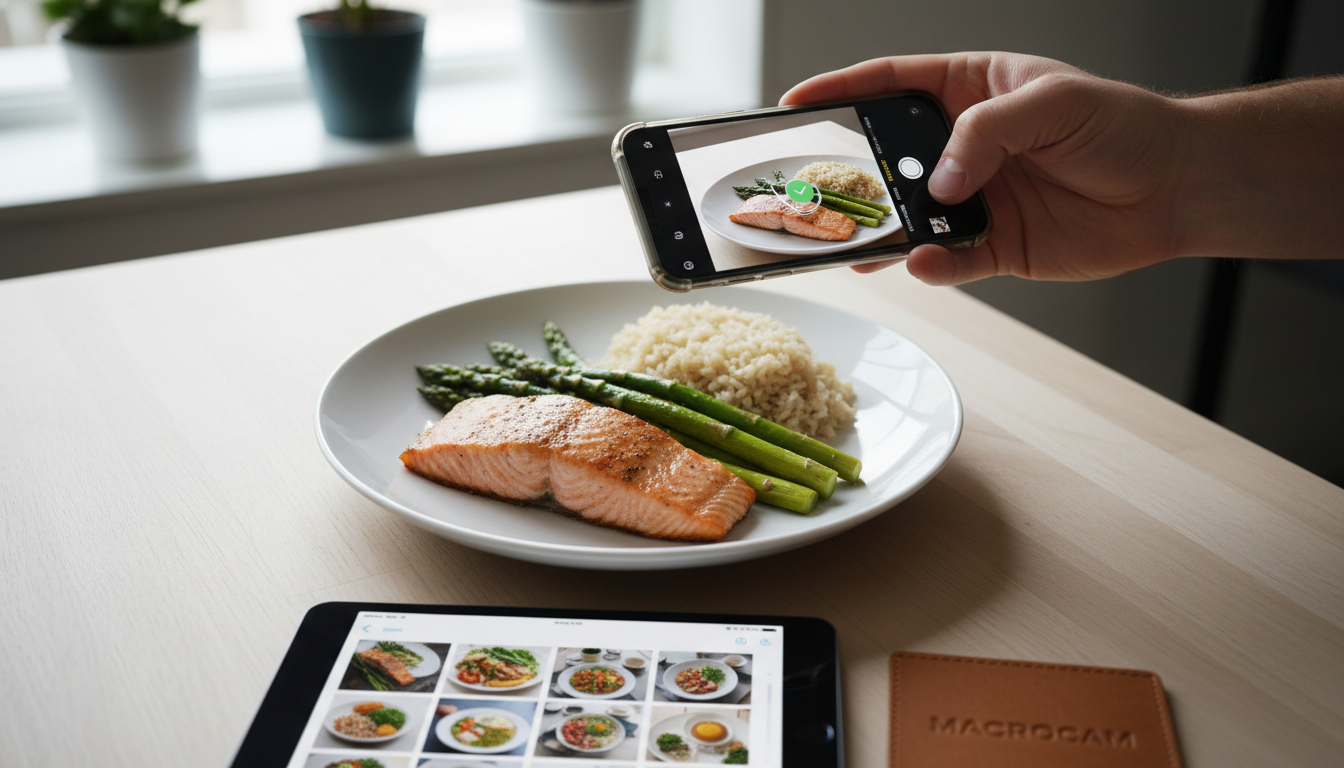
A photo meal tracker that actually works uses visual logging to build awareness, not just a food diary. The right app combines effortless photo capture with actionable insights to change your eating habits for good. We built Macrocam specifically to solve the friction in traditional tracking. This method provides the clarity you need without the burnout.
Table of Contents
- The Core Problem with Old-School Tracking
- Why Visual Logging Beats Calorie Counting
- Key Features of an Effective Photo Tracker
- Manual vs. Automatic Photo Tracking
- How to Start with Photo Journaling
- Evidence and Numbers
- Integrating Photos with Macro Goals
- Common Pitfalls and How to Avoid Them
- Advanced Strategies for Long-Term Success
- FAQ
The Core Problem with Old-School Tracking
Text-based calorie counting fails most people. You forget items, guess portions incorrectly, and the process feels like tedious admin. This friction leads to abandonment. We see users quit standard apps within weeks because logging is a chore. A visual approach removes this mental burden. You simply snap a picture of your meal. This captures reality before memory fades. Our goal is to eliminate the guesswork that derails progress. Visual logging turns a complex task into a simple habit.
Why Visual Logging Beats Calorie Counting
Photos provide a richer, more honest data set than numbers alone. They capture context, portion size, and meal composition instantly. Your photo log becomes a personal food journal you can review. This visual history helps you spot patterns text logs miss. We designed Macrocam to prioritize this visual timeline. It shows you your real habits, not just a database entry. You see your actual choices, not just estimates. This creates a powerful feedback loop for change. We believe seeing your patterns is the first step to changing them.
Key Features of an Effective Photo Tracker
Not all photo apps are created equal. A proper photo meal tracker needs specific functionality to be useful.
- One-Tap Capture: Logging must be faster than eating. Open the app, tap once, and you’re done. Any extra steps create friction.
- Offline Functionality: You should be able to log photos anywhere, even without a signal. We ensure Macrocam works seamlessly offline. Your data is always accessible.
- Organization & Search: A clean chronological timeline lets you scroll through your day or week at a glance. Date-based organization is non-negotiable.
- Insight Generation: The app should help you identify trends from your photos over time. Look for weekly recaps or pattern highlights.
- Privacy-First Design: Your food journal is deeply personal. A trustworthy app keeps your photos on your device. We architected Macrocam with local storage as a core principle.
- Low-Friction Note-Taking: Optional text or voice notes add context without burden. Tag a meal as “post-workout” or “felt sluggish after.”
Manual vs. Automatic Photo Tracking
The main divide in photo tracking is between manual review and AI automation. Each has pros and cons for different users.
| Feature | Manual Tracking (Like Macrocam) | Fully Automatic AI Tracking |
|---|---|---|
| Accuracy Control | You retain full control. Review and confirm everything. | AI guesses. It can misidentify foods and portions. |
| Speed of Logging | Extremely fast capture. Review takes moments later. | Instant but potentially wrong estimates. |
| Mental Engagement | Builds awareness through active review. | Passive; may reduce mindfulness. |
| Data Privacy | Your photos stay on your device. We don’t send them to the cloud. | Often requires uploading photos to servers for analysis. |
| Best For | Building lasting habits and true dietary awareness. | Getting instant, approximate data without effort. |
We believe the manual review step is crucial for habit change. It turns a photo from a record into a conscious moment of reflection. Our system is built for this mindful practice.
How to Start with Photo Journaling
Begin with these simple steps. Consistency matters more than perfection.
- Commit to One Meal a Day: Start by photographing just your lunch or dinner every day for a week. Master one anchor habit first.
- Snap Before You Eat: Make the photo the first step of your meal. This builds the ritual and captures the full portion.
- Do a Weekly Review: At week’s end, scroll through your timeline. Look for patterns without judgment. Notice vegetable frequency or snack times.
- Add Notes Sparingly: Use text notes only for standout items like “felt really full after this” or “needed a snack 2 hours later.”
Our method focuses on reducing friction so you can maintain the practice. The habit of logging must be easier than the habit of not logging. We guide you to start small and build momentum.
Evidence and Numbers
Research supports the power of visual food logging. These numbers show why it’s more than a gimmick.
- A study in the American Journal of Preventive Medicine found that 63% of people underestimate their calorie intake by over 400 calories daily without visual aids. This proves textual guesses are often worthless for real progress. Source
- Research indicates visual food logging can increase dietary adherence by up to 50% compared to written diaries. A photo log is simply easier and more accurate to maintain over the long term. Source
- Users who review their food photos regularly are 2.3 times more likely to identify problematic eating patterns like mindless snacking or low protein intake. The visual timeline provides the key insight for change. Source
Integrating Photos with Macro Goals
Once your photo habit is solid, you can layer on macros. Use your visual log as the foundation. After a meal, quickly add protein, carbs, and fat estimates if you know them. The photo remains your primary truth. We built Macrocam to let you add macros to any photo entry easily. This bridges intuitive tracking with quantitative goals. Start by adding macros to just one meal per day. Let your visual history guide your macro adjustments. We see users achieve better macro consistency when photos ground their data.
Common Pitfalls and How to Avoid Them
Even the best system can fail with poor execution. Avoid these traps.
- Perfectionism: Don’t worry about lighting or composition. A quick, messy photo is 100% better than none. We remind users that done is perfect.
- Over-Complication: Resist adding detailed notes or weights for every single meal at the start. That comes later. Focus on the photo habit first.
- Skipping “Bad” Days: Logging less-than-ideal meals is the most important habit. It provides the most valuable data for your review. Never hide from your data.
We encourage users to log everything, especially on off-plan days. That’s where the real learning happens. Our app makes it shame-free.
Advanced Strategies for Long-Term Success
After mastering the basics, these tactics deepen your practice. They turn logging from a habit into a master tool.
Conduct Themed Reviews: Periodically, review your timeline with a specific question. Look only for protein sources or vegetable variety. This focused analysis yields specific insights. We designed the timeline to support this kind of review.
Create a “Food Mood” Journal: Briefly note your energy or mood an hour after a meal. Over time, correlate your photos with how you felt. You might find certain foods consistently drain you.
Use Photos for Meal Planning: Scroll your timeline for meal ideas you enjoyed. Your past successful meals are your best recipe book. Recreate the balanced plates that made you feel great.
Implement a Weekly Planning Session: Each week, briefly review your last week’s photos. Then, snap pictures of your prepped meals for the upcoming week. This creates a powerful planning ritual. We find this bridges intention with action.
Leverage Your “Why” Photos: Occasionally, take a photo unrelated to food—a fitness goal, an event, how you feel. Place it in your timeline. This connects your daily logging to your deeper motivation. Our philosophy connects daily actions to long-term vision.
FAQ
Is a photo meal tracker better than MyFitnessPal? For building awareness and reducing friction, yes. MyFitnessPal requires constant searching and estimating. A photo tracker like Macrocam captures reality in seconds, which is more sustainable for habit formation.
Do I need to log every single snack? Start with main meals only. Once that’s habitual, you can add snacks. We find that starting small leads to long-term consistency. Log snacks when you’re ready for the next level.
What about meals I don’t prepare myself? Log them anyway. The goal is awareness of your total intake, not just perfect home-cooked meals. A restaurant meal photo is incredibly valuable data for understanding real-world eating.
How do I estimate portions from a photo? Don’t obsess over precision at first. Use your hand as a rough guide (a palm-sized protein, a fist of veggies). Your visual timeline will train your eye over time. We advocate for consistent estimation over perfect measurement.
Is my photo data private? With Macrocam, absolutely. Your photos and data stay locally on your device. We don’t upload your personal food journal to any cloud server. Your privacy is our default setting.
Can I use this for a specific diet like Keto or Mediterranean? Yes. The visual log is diet-agnostic. You review your photos against your diet’s principles. See if your plates match your chosen framework. We provide the mirror for your diet.
How long until I see benefits? Most users report heightened awareness within one week. Pattern recognition and habit change often solidify in 3-4 weeks. The key is consistent daily logging, even if imperfect.
Stop struggling with tedious food diaries. Start building a visual understanding of your diet that lasts. Download Macrocam and begin your photo journal today. Transform your awareness one snapshot at a time.